


Reading time: 1 min
To connect external systems, automate processes or access data from your online store, you need a properly generated API key in Shoptet Premium. The key works as a unique identifier and a security element that lets your Shoptet store talk to other services – ERP systems, warehouse management, email marketing tools or analytics platforms.
This guide shows you how to create a Shoptet Private API key and where to find it. The right API configuration matters not only to developers, but also to SEO specialists who use the data to measure store performance or analyze customer behavior. Through the API you get access to products, orders, customers and other key data that you can process, analyze and optimize to increase your conversion rate and organic traffic.
How to create the API key
- Go to the tab: Connections → Private API
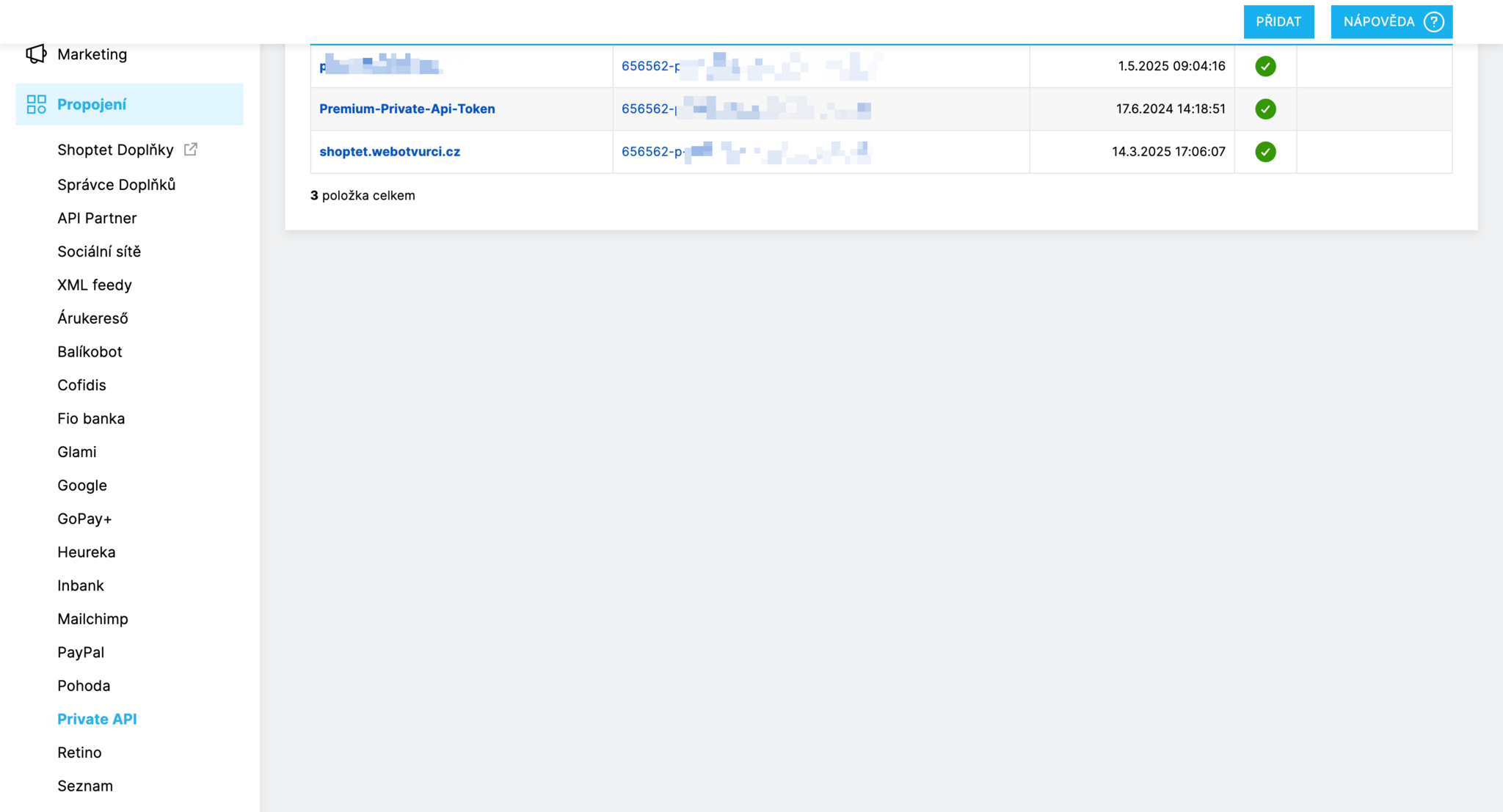
- Click "ADD"

- Enter the partner name – so you know who works under that API key
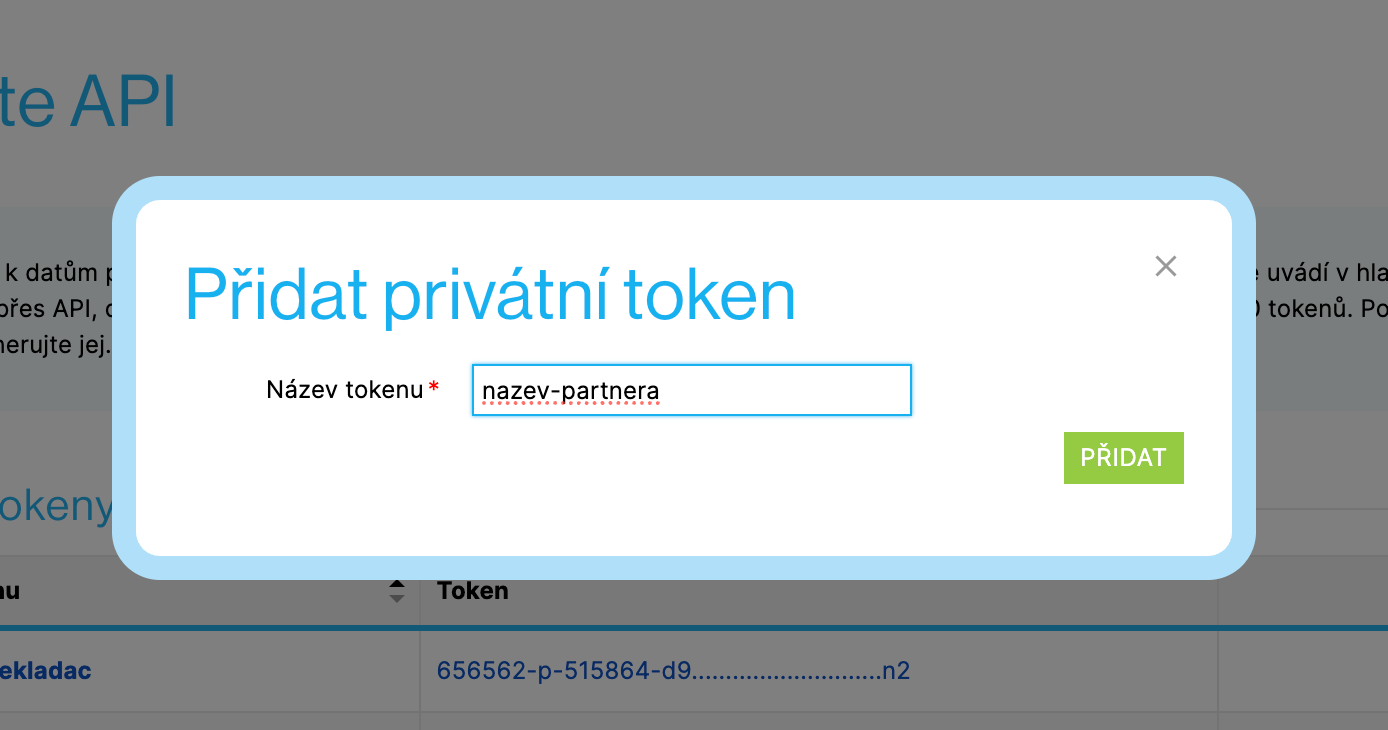
Click "ADD"
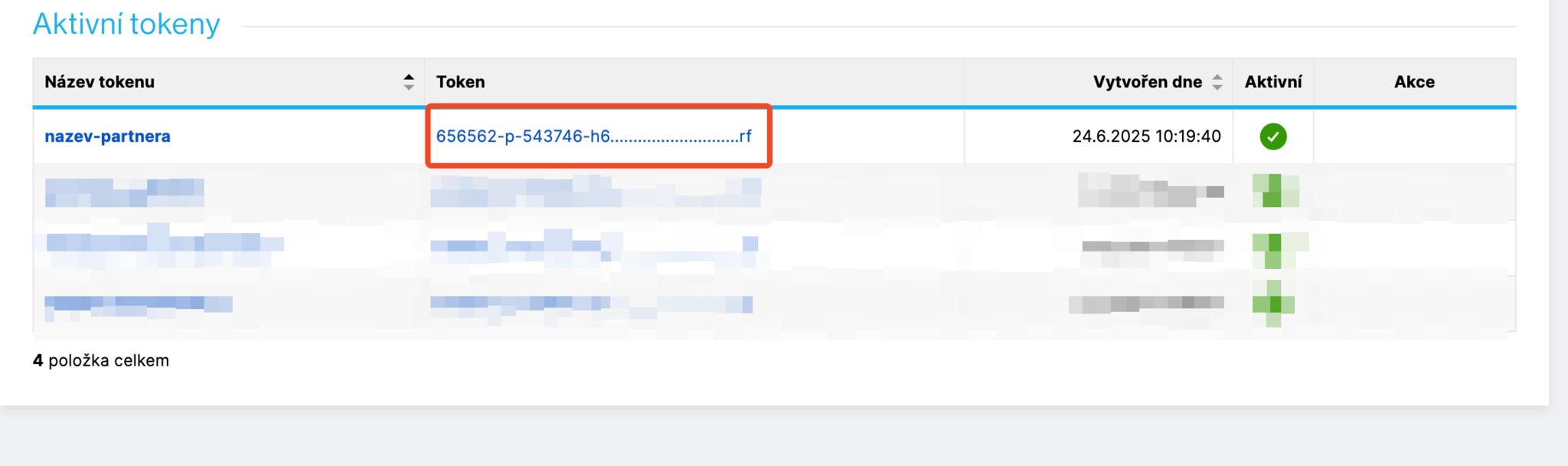
The API key appears – click it to show the actual key
- Enter the password of the account you are currently logged into Shoptet with
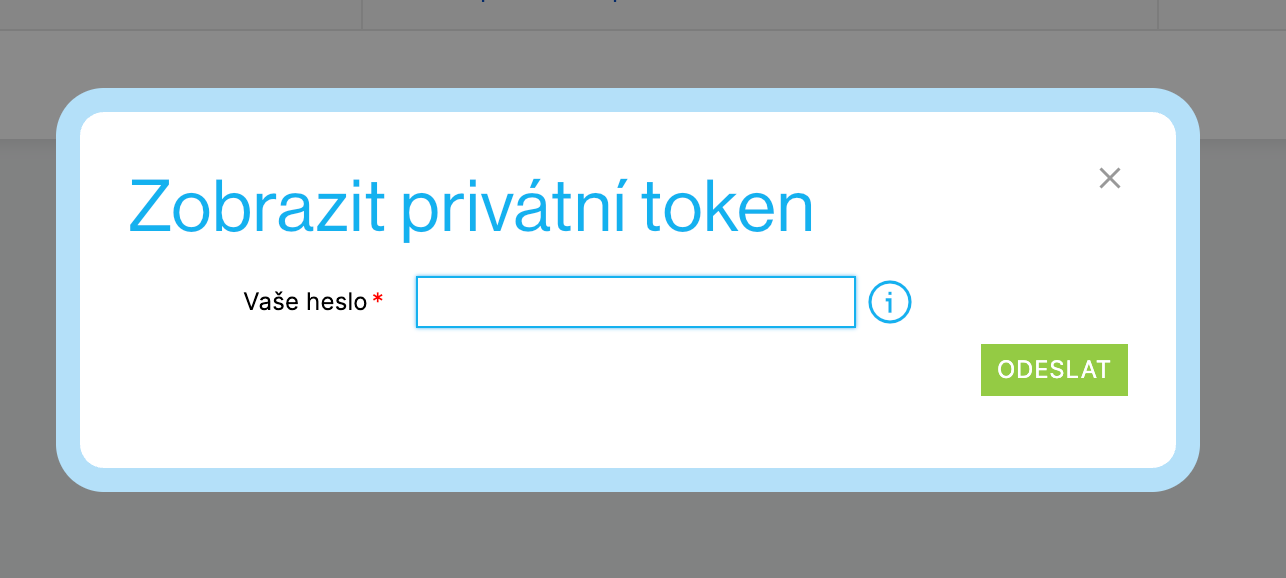
- The API key is displayed – send it to your partner
