+420 728 089 029CZ
MCP connector for Claude to Google Analytics 4, Search Console and Tag Manager

Ask Claude about your GA4, Search Console and GTM data

No clicking through GA4, no exports to spreadsheets. You type a question in plain language and Claude pulls the numbers itself, works them out and explains them. Every client gets their own isolated connector, you sign in with your own Google account and the connector only reads the data. €20 excl. VAT a month, first month free.

What it looks like in practice

Four common questions and the answers Claude gives with the connector. It pulls the data itself, works it out and tells you what follows from it. Switch between the examples.

ClaudeExample: a made-up online store, invented numbers
You

Why did our revenue drop in September? Compare it with August.

Claude
  • GA4 · revenue September vs. August
  • GA4 · breakdown by channel
  • GA4 · campaigns in the Email channel

Revenue for September is €14,520, 12% less than in August (€16,500). Traffic is almost the same (−2%), so the problem isn't the number of people, it's where they came from:

ChannelAugustSeptemberChange
Organic search€5,930€6,170+4%
Direct€3,860€3,740−3%
Paid search€2,990€2,810−6%
Email€2,740€880−68%
Referrals and comparison sites€980€920−6%

94% of the drop is in email. In August I see three email campaigns (by utm_campaign), in September only one. The other channels are holding steady and organic search is even growing.

If skipping the newsletters in September was intentional, the website is fine. If not, this is the fastest way back. Should I work out how much one campaign earns on average?

An analyst who answers right away

You have data in Google Analytics, Search Console and Tag Manager. It's just hard to get to: sign in, find the right report, set the date range, export it to a spreadsheet. The MCP connector cuts that whole path down to one question in Claude.

Answers instead of reports. "Why did revenue drop in September?" Claude goes through GA4, compares the periods, channels and devices and tells you what changed. You don't wait a week for the answer.

Everything in one place. Traffic and revenue from GA4, search performance from Search Console and the measurement setup from Tag Manager. Claude brings them together in a single answer.

Straight into your work. Have the result summarized as an email, a report for management or a table. Claude doesn't just find the data, it explains it too.

We, Webmakeria, build and run the connector. We use AI every day, and the same connection to GA4 and Search Console helps us with our AI audits of online stores as well.

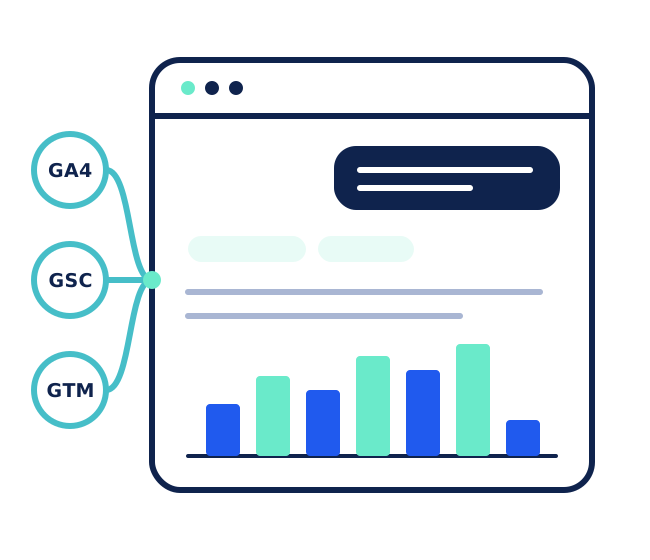
Claude connected through the connector to Google Analytics 4, Search Console and Tag Manager answers a question with a chart

Who the connector saves time for

Most companies have data in Google Analytics, Search Console and Tag Manager. The way to it is just long: sign in, find the report, set the date range, export it, finish the math in a spreadsheet. Here are the situations where that path shrinks to a single question.

  • Online store owner

    the Monday overview in a minute

    You type “how did last week do compared with the week before?” and you have revenue, orders, channels and what moved the most. With an explanation, not just numbers.

  • Marketing

    the monthly report without exports

    Claude pulls the numbers from GA4 and Search Console, compares them with last month and writes a summary for management straight away. You check it and send it.

  • Management

    an answer without waiting for an analyst

    Why revenue dropped, which channel is pulling its weight, how we're doing compared with last year. You ask when you need it and don't wait until someone has time for it.

  • After launching a new website

    checking that nothing broke

    Are purchases coming into GA4? Does the revenue match? Did any pages drop out of the index? A few questions instead of half a day of clicking around after launching a new template or website version.

  • Newsletter or a sale

    how it's working right now

    How many people are on the website right now, and on which pages? Handy right after sending a newsletter or launching a discount, when you want to know whether it's working.

  • Managing measurement

    keeping an eye on Tag Manager

    What's wrong in the container, what's waiting to be published and who changed what. Claude goes through the configuration for you and tells you what to fix before it skews the data.

What you can ask

Write in plain language, as if you were asking a colleague. A few questions for inspiration:

  • How did traffic and revenue develop week by week over the last 3 months?
  • Revenue and conversions by channel for September vs. August.
  • Where do people drop off between the cart and completing the order? Break it down by device.
  • Which search queries dropped the most compared with last month?
  • Check the indexing of these 10 URLs.
  • Go through the published GTM container and tell me what's wrong with the measurement.
  • Are there unpublished changes in GTM? Who made them?
  • How many people are on the website right now, and on which pages?

Follow-up questions work too: “now just mobile”, “show it by week”, “turn it into a table for management”.

What the connector does

  • Google Analytics 4

    traffic, conversions and revenue

    Users, conversions, revenue, channels, sources, landing pages, devices and countries for any period, with comparisons. Funnels (where people drop off), annotations, realtime and property settings: currency, data retention, conversions.

  • Google Search Console

    search performance

    Clicks, impressions, CTR and position by query, page, country and device, with period comparisons. The indexing status of specific URLs and the status of sitemaps.

  • Google Tag Manager

    checking the measurement

    The published container configuration with an error check, and an overview of unpublished changes.

The connector is read-only on purpose. It doesn't change, delete or publish anything.

How it works

  1. We get on a callin 15 minutes we set up a Google Cloud project with you in your own account, so you keep full control over it.
  2. We set up the connectorits own address, its own server, access settings. You don't program anything. Usually within a week.
  3. You add it to Claudewe send you the address and a short guide. With Claude Team and Enterprise, an admin adds it once for the whole company.
  4. You sign in with Google and ask awayin Claude on the web, in the desktop app and on mobile.

Do it yourself, or a ready-made connector?

You can connect Claude to GA4 and Search Console on your own, and we wrote up the whole process on our blog. The connector is for those who want it done, for the whole team and with Tag Manager included.

  • Where it runs

    Your own MCP servers following the guideOn your computer. It only works in the Claude desktop app or in Claude Code.
    MCP connector from WebmakeriaOn our server. It works in Claude on the web, in the desktop app and on mobile.
  • Setup

    Your own MCP servers following the guideA Google Cloud project, OAuth, installation in the terminal and configuration. Roughly 30–45 minutes, and everyone on the team sets it up themselves.
    MCP connector from WebmakeriaA 15-minute call, we set up the rest. With Claude Team and Enterprise, an admin adds the connector once for the whole company.
  • What it covers

    Your own MCP servers following the guideGA4 and Search Console, each through its own server.
    MCP connector from WebmakeriaGA4, Search Console and Tag Manager in one connector.
  • Permissions

    Your own MCP servers following the guideDepends on the server. One of the commonly used ones can also write to Search Console, for example submit a sitemap.
    MCP connector from WebmakeriaRead-only. The connector doesn't change, delete or publish anything.
  • Maintenance

    Your own MCP servers following the guideYou handle updates and outages yourself.
    MCP connector from WebmakeriaOperation, updates and support are included in the price.
  • Price

    Your own MCP servers following the guideFree, you pay with your own time.
    MCP connector from Webmakeria€20 excl. VAT a month, first month free.

Your data stays yours

  • Your own isolated connectorevery client has their own address, server and Google project. You don't share anything with anyone else.
  • Sign-in with your Google accountClaude only sees what the signed-in account has access to in Google. Nothing more.
  • Control over who signs ineither your whole company domain in Google Workspace, or only listed accounts. Removing access takes effect immediately.
  • Read-onlythe connector only has permission from Google to read data.
  • We don't store datawe just pass the reports on to Claude. Access keys are encrypted and Claude never gets them.

Price

You need Claude (Pro, Max, Team or Enterprise) and access to GA4, Search Console or Tag Manager.

Call the captain

On a 15-minute call we'll prepare everything that's needed together, and then we set up the connector, usually within a week. The first month is free, so you'll see for yourself how much time it saves you.

Prefer to write or call? jsme@webotvurci.cz · +420 728 089 029

Frequently asked questions

How much does the MCP connector cost?
€20 excl. VAT a month, and the first month is free so you can try it out. The price covers setting up the connector, running it on our server, updates and support. On top of that you need your own Claude subscription (Pro, Max, Team or Enterprise).
Do I need Google Workspace?
No. It works with a company Workspace as well as with regular Gmail accounts. With Gmail, the first sign-in shows a warning that Google hasn't verified the app. Just click “Advanced” and then “Go to” the app.
What if I don't have access to all the data?
The connector sees exactly what your Google account sees. If something is missing in GA4 or Search Console, just share it in Google with the account you sign in with.
Can the connector break anything?
No. It only has read permissions, so it doesn't change, delete or publish anything in GA4, Search Console or Tag Manager.
Does it work on mobile too?
Yes. The connector is tied to your Claude account, so once you add it you have it on the web, in the desktop app and on mobile.
How soon will it work?
Usually within a week. On your side it's a 15-minute call. We set up the rest and send you the connector's address with a short guide.
Can't I set it up myself for free?
You can, and we wrote up the steps in a guide on our blog. But that kind of connection runs on your own computer, only works in the desktop app, and everyone on the team has to set it up themselves. The connector runs on our server, works on the web and on mobile too, covers Tag Manager as well and is read-only.
Can I cancel the connector?
Anytime. We shut the server down, and since the Google project is in your account, you just remove our access to it.

Who do we already develop for on Shoptet?

Brain Market logoSt. Vitus Cathedral logoKancelář24 logoRedzed logoPlace store logoAdam's Vape logo

And what do they say about us?

We value every opinion. We listen to our clients and we're ready for praise as well as criticism.

★★★★★4.9 / 545 reviews on Shoptet Partners
Martina Rohál Malinová,gardners-eshop.cz
Amila Kasum,kasumex.cz
Lukáš Maršík,kratomcz.cz

Want to sail with us?

A quality website can easily become your best employee. It will make you money 24 hours a day, 365 days a year, with no salary and no vacation. All you have to do is start.

Call the Captain

Call +420 728 089 029 and Tomáš will pick up – the captain of our ship, the captain of our team, the owner.

If you'd rather write than call, email us at jsme@webotvurci.cz. A member of our crew usually replies within 24 hours.

Webotvůrci s.r.o.
Houbalova 3023/8, Líšeň
628 00 Brno

Company ID: 08320004, VAT ID: CZ08320004

Or drop us a line, we're looking forward to it!